How to Book Restaurants in Korea as a Foreigner: CATCHTABLE, NAVER Map, Waitlists, and Reservations
Learning how to book restaurants in Korea can feel confusing at first. You may find a restaurant on social media, only to discover that its reservation page is in Korean, the phone number does not accept international calls, or the restaurant uses a waitlist instead of advance reservations.
The good news is that foreign visitors now have several practical options. CATCHTABLE is usually the easiest place to begin because its international service supports multiple languages, real-time reservations, remote waitlists, email notifications, and payments without requiring a Korean phone number. NAVER Map is another useful option when a restaurant has a visible booking button, although account, payment, and contact-information requirements can vary by business.
This guide covers how to tell the difference between a reservation and a waitlist, how to use CATCHTABLE and NAVER Map, and what to do when no online booking option is available.
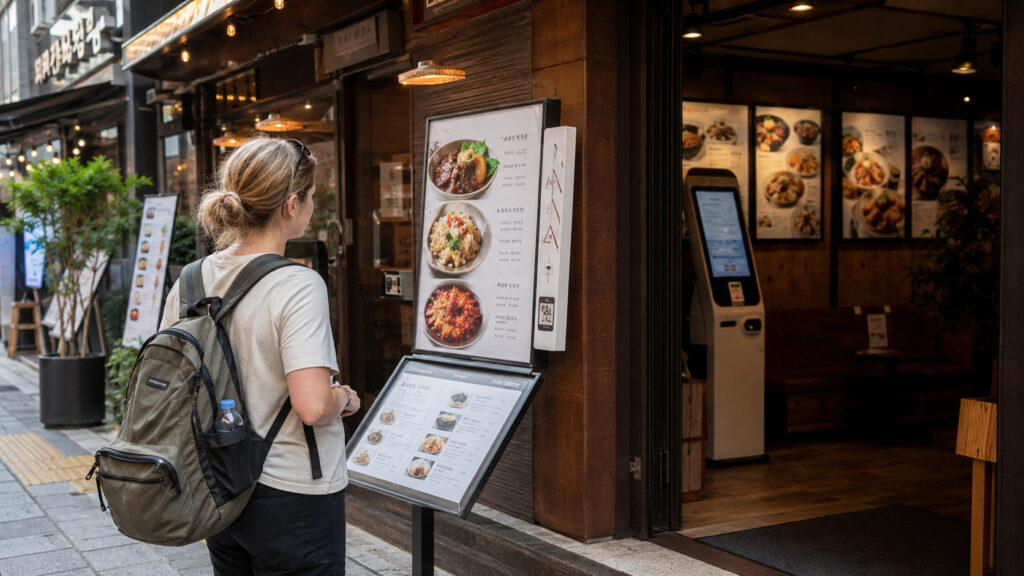
Table of Contents
Do You Need to Book Restaurants in Korea?
You do not need a reservation for every restaurant in Korea.
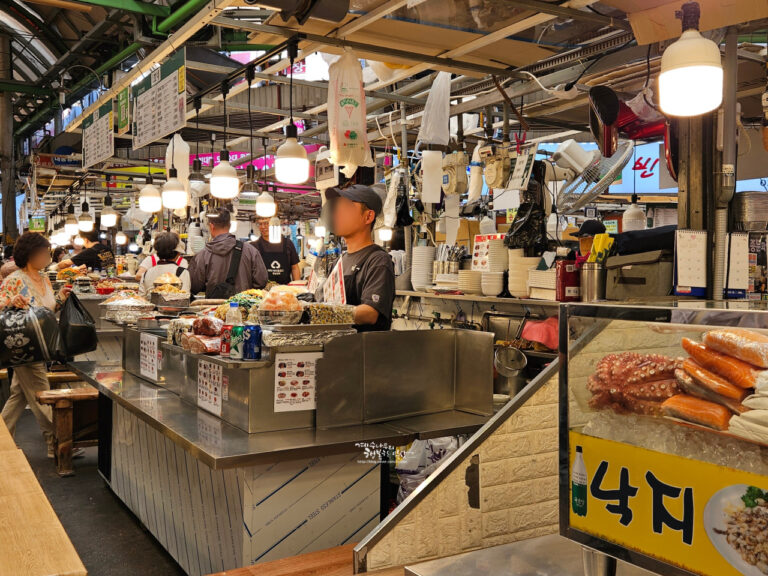
Many casual restaurants, noodle shops, soup restaurants, market stalls, and neighborhood eateries mainly serve walk-in customers. You can usually arrive, check whether there is a line, and wait for the next available table.
Reservations become much more important when you are planning to visit:
- Fine-dining restaurants
- Omakase restaurants
- Michelin-starred or Michelin-listed restaurants
- Small restaurants with limited seating
- Popular weekend brunch restaurants
- Famous Korean BBQ restaurants
- Restaurants frequently featured on social media
- Restaurants in busy areas such as Seongsu, Hannam, Apgujeong, and Anguk
- Restaurants requiring a course menu or advance deposit
A reservation is also useful when your schedule is tight. If you have palace tickets, a performance, a guided tour, or a train to catch, waiting without knowing how long the line will take can disrupt the rest of your day.
For an ordinary local restaurant, however, it may be easier to visit shortly after opening or outside the busiest lunch and dinner periods rather than trying to arrange a reservation.
Reservations, Waitlists, and Walk-Ins: What Is the Difference?
These three systems are not interchangeable.
Reservation
A reservation gives you a table for a particular date, time, and party size.
For example, a reservation for four people at 7:00 p.m. means the restaurant expects your group at that time. You may need to select a course, enter guest information, or pay a deposit before the reservation is confirmed.
Remote Waitlist
A remote waitlist places your group in the restaurant’s queue without giving you a fixed dining time.
The app may show how many groups are ahead of you and notify you when your turn is approaching. You must still follow the restaurant’s arrival instructions. Remote waiting is generally intended for same-day visits rather than planning a meal several weeks ahead.
CATCHTABLE currently advertises remote waitlist functionality, but availability depends on the individual restaurant. A restaurant may appear in CATCHTABLE while offering reservations, remote waiting, on-site waiting, or only some of those options.
On-Site Waitlist
An on-site waitlist requires you to visit the restaurant first.
You may need to:
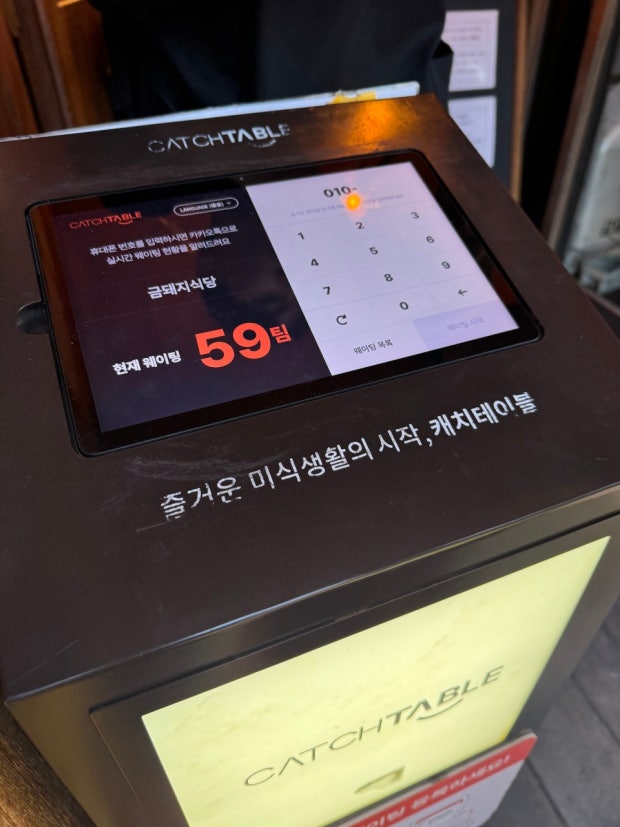
- Enter your phone number and party size on a tablet.
- Take a numbered ticket.
- Scan a QR code.
- Speak to a staff member.
- Remain near the restaurant until you are called.
The exact process varies. Some restaurants that use CATCHTABLE equipment still allow only on-site registration, so seeing a restaurant in the app does not automatically mean that you can join its queue remotely.
Walk-In
A walk-in restaurant does not require an advance reservation or formal waitlist registration. You simply ask whether a table is available.
Useful question:
Do you accept walk-ins?
The Easiest Booking Strategy for Foreign Travelers
The simplest approach is to check booking options in this order:
Step 1: Search for the Exact Restaurant and Branch
Confirm the full restaurant name, neighborhood, and branch.
Many Korean restaurant brands have several locations, and their reservation systems may differ. One branch may accept reservations while another accepts only walk-ins or on-site waiting.
Do not assume that a reservation for one branch can be used at another location.
Step 2: Check CATCHTABLE
Search by restaurant name, neighborhood, cuisine, date, time, and party size.
CATCHTABLE is usually the most foreigner-friendly first option: its international app does not require a Korean phone number, and you can pay with an existing email address and credit card.
Step 3: Check NAVER Map
If the restaurant is not available through CATCHTABLE, open its NAVER Map page and look for a Book or 예약 button.
NAVER’s official help explains that booking is available when a booking button appears after searching for a business. You must log in to NAVER and complete the information requested by that specific booking form.
Step 4: Check the Restaurant’s Official Channels
Look at the restaurant’s official website or Instagram profile for instructions.
Some restaurants may accept:
- Website reservations
- Instagram direct messages
- Email inquiries
- Telephone reservations
Do not send payment information through an unverified social media account.
Step 5: Try a Walk-In or On-Site Waitlist
If there is no advance booking option, visit near opening time and ask whether you can join the waitlist.
For highly popular restaurants, arrive before the first seating rather than during the middle of the dinner rush.
How to Book Restaurants with CATCHTABLE
CATCHTABLE is a restaurant discovery, reservation, and waitlist service widely used in Korea.
Its international app supports restaurant searches in multiple languages, does not require a Korean phone number, and accepts an existing email and credit card. Reservations and waitlists can be managed from a dedicated dining or bookings section inside the app, though the exact menu label may vary by version.
The general booking process is as follows.
1. Download the Global Version and Create an Account
Search for CATCHTABLE Global specifically, not just “CATCHTABLE” or “캐치테이블.” A separate Korean-only app uses a similar name and icon and generally expects a Korean phone number, so downloading the wrong one is an easy first mistake to make.
Set up your account before trying to reserve a high-demand restaurant.
Waiting until the booking time to create an account, verify an email address, or add a card can cause you to lose an available slot.
2. Search for the Restaurant
Search using:
- The English restaurant name
- The Korean restaurant name
- The neighborhood
- The cuisine
- A nearby landmark
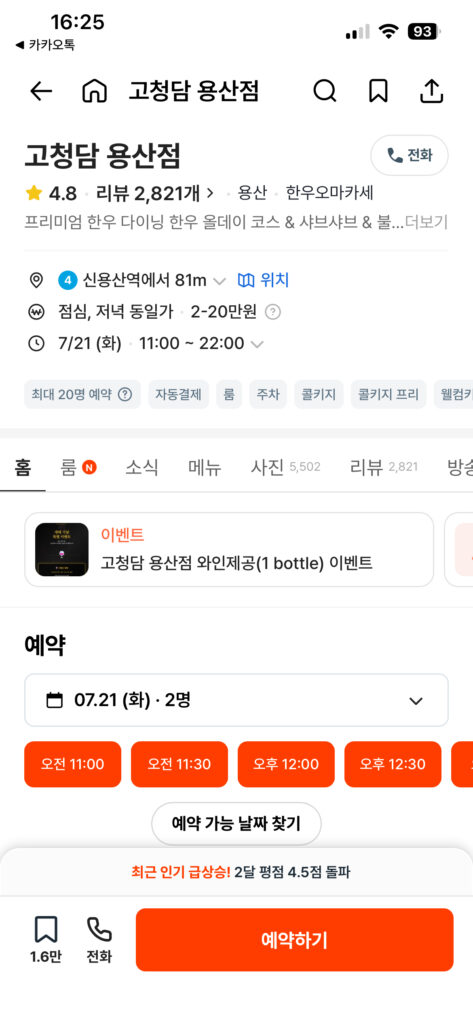
If you cannot find the restaurant in English, copy its Korean name from NAVER Map and paste it into the search field.
3. Confirm the Branch
Check the address carefully.
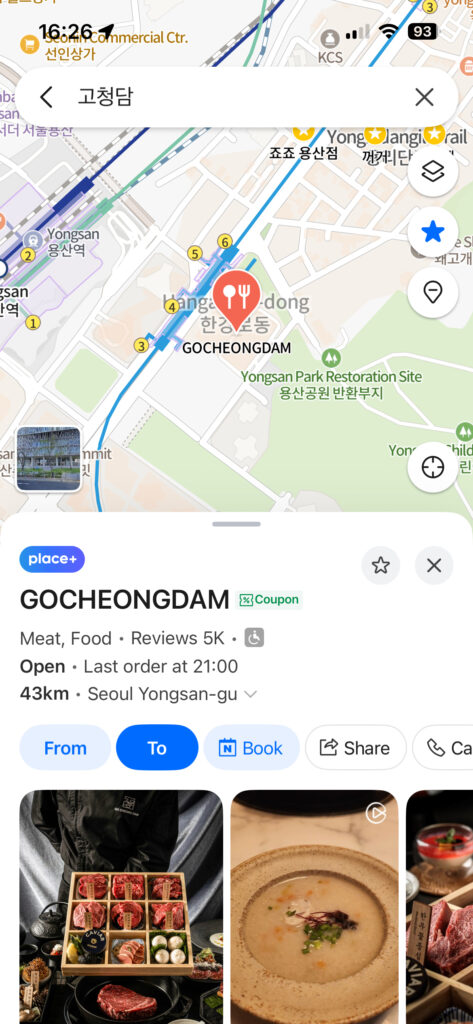
A restaurant may have branches in Myeongdong, Gangnam, Seongsu, Yeouido, or other districts. Compare the address with your saved NAVER Map location before paying a deposit.
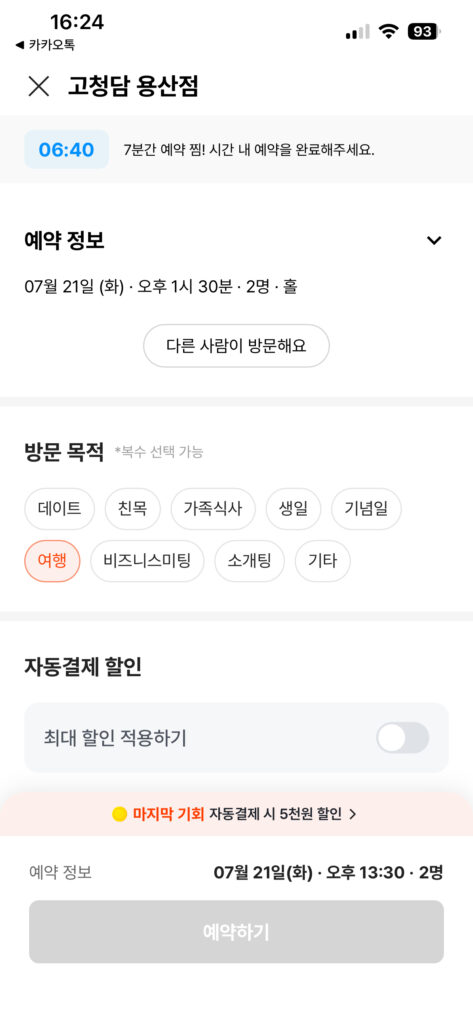
4. Select the Date, Time, and Party Size
Only available times will usually appear.
A slot may disappear while you are completing the booking, especially when reservations for a famous restaurant have just opened. Do not consider the table confirmed until you receive a completed reservation screen or confirmation message.
5. Read the Menu and Booking Conditions
Before confirming, check:
- Required course or set menu
- Minimum number of guests
- Age restrictions
- Corkage rules
- Allergy notice
- Seating time limit
- Cancellation deadline
- Late-arrival policy
- Deposit amount
- Whether the deposit is refunded or applied to the bill
These conditions are set by the restaurant and are not identical across CATCHTABLE listings.
6. Pay the Deposit When Required
Some restaurants require a deposit to reduce no-shows.
The treatment of that deposit varies. A listing may refund it after the meal, apply it toward the final bill, or follow another restaurant-specific policy. For example, one current CATCHTABLE listing states that its per-person deposit is fully returned after the meal is settled on-site, but that example should not be treated as a universal CATCHTABLE rule.
7. Save the Confirmation
After booking:
- Take a screenshot.
- Save the address in NAVER Map.
- Add the reservation to your calendar.
- Check whether the confirmation uses Korea Standard Time.
- Keep the booking name exactly as entered.
- Review the cancellation deadline.
A screenshot is useful, but keep access to the app or email as well in case the restaurant needs to verify the live reservation.
How to Book Restaurants with NAVER Map
Foreigners can book some restaurants through NAVER Map, but not every restaurant supports NAVER Booking.
The key is the booking button.
NAVER’s official instructions say to log in, search for the business, and check whether a booking button appears. If the button is visible, NAVER Booking is available for that business.
Step 1: Log In to Your NAVER Account
Create and test your NAVER account before the day you need the reservation.
Account creation and verification conditions may differ depending on your country, phone number, and account status, so it is worth creating and verifying your account well before you plan to book.
Step 2: Search for the Exact Restaurant
Search using the restaurant’s English or Korean name.
Confirm:
- Branch name
- Street address
- Nearest subway station
- Floor or building name
- Restaurant photos
Step 3: Look for the Book Button
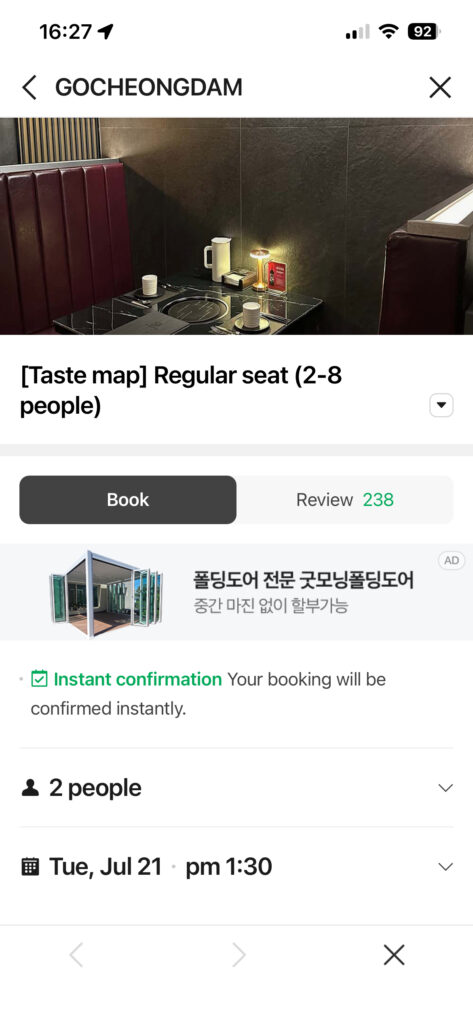
Look for a blue Book button (예약 in Korean) just below the restaurant’s name and rating.
If no booking button appears, the restaurant may not accept NAVER reservations.
Step 4: Select the Booking Details
Choose the date, time, and party size, then review any required menu or deposit.
Enter the actual visitor’s information carefully. NAVER’s help page notes that notifications are sent to the NAVER account that made the reservation, even when separate visitor information is entered.
Step 5: Save the Booking Confirmation
Check the reservation in the relevant NAVER booking history or MY Place area and take a screenshot.
Confirmation messages are also commonly sent through KakaoTalk, so it is worth installing the app and registering your number before your trip if you plan to rely on NAVER bookings.
Do not rely only on a browser tab. Make sure you can log back into the same NAVER account that made the booking.
Important Limitation
A visible NAVER Map listing does not mean that the restaurant accepts online reservations.
It is also possible for a restaurant to accept NAVER Booking while asking for information or a payment method that is difficult for a short-term foreign visitor to provide. These requirements are restaurant- and account-specific, so they should not be described as universal.
When NAVER Booking does not work, return to CATCHTABLE, contact the restaurant, or plan an on-site visit.
What to Do When Online Booking Is Not Available
No online booking button does not necessarily mean that you cannot eat at the restaurant.
Try these alternatives.
Visit Shortly Before Opening
This is often the most practical method for a popular casual restaurant that uses walk-ins.
Check whether the restaurant has separate lunch and dinner openings. Arriving shortly before the first dinner seating may work better than arriving at 7:00 p.m.
Ask Your Hotel
A hotel front desk or concierge may be able to call the restaurant and explain the reservation requirements.
This is particularly useful when:
- The restaurant accepts only telephone reservations.
- The staff speaks limited English.
- You need to explain an allergy.
- You are booking for a special occasion.
- The restaurant requires a Korean contact number.
This is a request rather than a guaranteed hotel service.
Contact the Restaurant Directly
Use the official phone number, website form, email address, or Instagram account listed by the restaurant.
A simple message can include:
Hello, I am visiting Seoul and would like to reserve a table for two on October 10 at 7:00 p.m. Do you accept reservations from foreign visitors?
Do not assume that a restaurant accepts reservations through Instagram simply because it has an active account.
Choose Another Branch
A famous flagship branch may have a long queue while another branch of the same restaurant has available reservations.
Confirm that the menu is similar before changing locations.
Prepare a Backup Restaurant
Save one nearby alternative that accepts walk-ins.
This prevents you from spending an hour crossing Seoul only to find that the waitlist has closed.
How Restaurant Waitlists Work in Korea
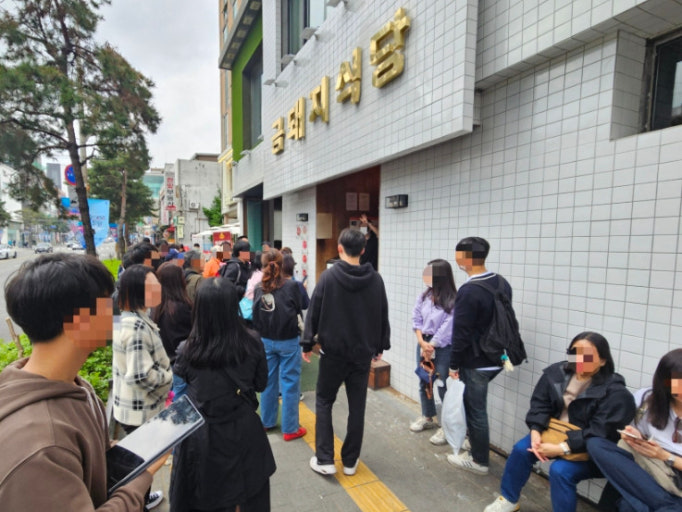
Waitlists are common at busy restaurants, bakeries, cafés, and department-store dining areas.
The process may involve a tablet near the entrance, a QR code, a paper ticket, or a remote waitlist through CATCHTABLE.
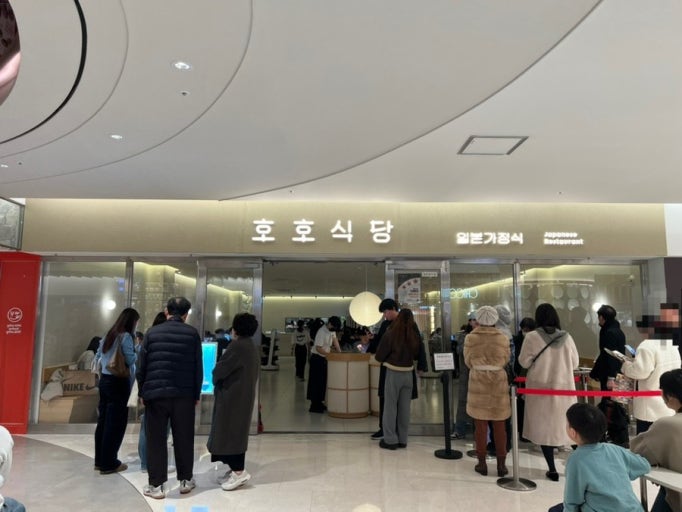
Before Joining a Waitlist, Check:
- Whether registration is remote or on-site only
- Whether the queue is for the current day
- How many groups are ahead
- Whether your entire party must be present
- How you will receive the notification
- How quickly you must return
- What happens if you miss your call
- Whether the waitlist can close early
Never join a waitlist and then travel far across the city. The estimated wait can change quickly if several groups cancel or fail to arrive.
A remote waitlist is also not the same as an appointment. Do not schedule a museum ticket or performance immediately after the estimated dining time.
Deposits, Cancellations, and No-Shows
Restaurant deposits are common for fine dining, omakase, special courses, and restaurants with limited seating.
Before paying, read:
- The cancellation deadline
- The refund amount
- The no-show penalty
- The late-arrival policy
- The method used to return the deposit
- Whether menu charges are prepaid
- Whether the deposit is separate from the final bill
Do not assume that every deposit will automatically be deducted from your dining bill.
Restaurant policies can differ even when both restaurants use the same reservation platform.
If your plans change, cancel through the same service that you used to book. NAVER provides booking-management and cancellation sections through its booking service, while the exact refund result still depends on the applicable booking and business policy.
A no-show can result in losing the deposit and may make it harder to use future bookings associated with the account.
How Far in Advance Should You Book?
There is no single booking window for every Korean restaurant.
A practical approach is:
- Famous fine dining or omakase: Check the restaurant’s reservation-opening schedule before your trip.
- Popular weekend restaurants: Start checking one to three weeks ahead.
- Ordinary reservation-based restaurants: Check several days ahead.
- Casual walk-in restaurants: Visit outside peak hours or near opening.
- Same-day cancellations: Check the app again in the morning and afternoon.
These are planning guidelines, not guaranteed booking periods.
Some restaurants release an entire month of reservations on a specific day. Others open dates gradually. The exact release schedule must be confirmed on the restaurant’s current booking page.
Planning Restaurant Reservations Around Seoul Attractions
A reservation should make your itinerary easier, not force you to cross Seoul several times in one day.
Gyeongbokgung, Bukchon, Anguk, and Ikseondong
This area works well for a palace visit followed by lunch, a café stop, or an early dinner.
Book the restaurant after estimating how long you will spend at Gyeongbokgung Palace and nearby hanok streets. Avoid making a reservation immediately after a guided palace tour because walking and transport may take longer than expected.
If Gyeongbokgung is part of your itinerary, our guide to Korean restaurants near Gyeongbokgung Palace compares walk-in options, waitlists, and restaurants that require advance reservations.
cafés near Gyeongbokgung Palace
cafés in Ikseondong Hanok Village
Myeongdong, Namsan, and Deoksugung
A Myeongdong dinner reservation is easy to combine with shopping, Deoksugung Palace, or an evening visit to Namsan.
Confirm the branch and station exit because restaurants using “Myeongdong” in their English description may actually be closer to Euljiro or Chungmuro.
Korean BBQ near Myeongdong Station
Seongsu and Seoul Forest
Seongsu is best planned as a neighborhood visit rather than a quick restaurant stop.
Cafés, pop-up stores, and restaurants can all have lines, so avoid booking every part of the day too tightly. A late lunch or early dinner reservation can give you more flexibility.
Dongdaemun, DDP, and Sindang
This area can be combined with Dongdaemun Design Plaza, shopping, and food in Sindang.
Some famous casual restaurants use waiting systems rather than advance reservations. Check the waitlist status before leaving another district.
General Location Rule
Try to choose a restaurant within the same neighborhood as your final attraction of the afternoon.
Seoul’s subway system is convenient, but changing lines, finding the correct exit, and walking through a large station can take longer than the map estimate suggests.

Ordering Tips After You Make a Reservation
Making the reservation is only the first step. Some restaurants ask you to choose a menu before arrival, while others take your order at the table.
Check Whether a Menu Was Already Selected
Look at your confirmation to see whether you booked:
- A table only
- A specific course
- A tasting menu
- A BBQ set
- A private room
- A special event menu
Do not order a second full course without checking what is already included.
Check Minimum-Order Rules
Korean BBQ, hot pot, and set-menu restaurants may have minimum-order requirements.
The rule may be based on:
- Number of portions
- Number of diners
- Required set menu
- Required drink or wine order
- Minimum spending for a private room
Read the individual restaurant policy rather than relying on a general rule.
Tell the Restaurant About Allergies Early
For a serious allergy, contact the restaurant before booking or immediately after the reservation is confirmed.
Do not assume that removing a visible ingredient makes the dish safe. Broths, sauces, marinades, dumpling fillings, and side dishes may contain ingredients that are not obvious.
Show the Confirmation When You Arrive
Say:
I have a reservation under the name Kim.
If your name was entered in Korean rather than English, staff may find it faster by its Korean spelling (for example, 사라 리 instead of Sarah Lee), so keep both versions handy if you are not sure which one was used.
Keep the reservation name, time, and party size ready on your phone.
Learn the Ordering Process Before Your Meal
Some restaurants use table tablets, QR menus, kiosks, or staff ordering.
Beginner-Friendly Menu Choices
The best menu depends on the restaurant, but first-time visitors can reduce confusion by choosing a standard set or signature menu.
Korean BBQ
A mixed pork or beef set is easier than selecting many individual cuts.
For pork, samgyeopsal and moksal are approachable choices. Check whether the staff cooks the meat or whether guests are expected to grill it themselves.
Korean Comfort Food
Beginner-friendly choices include:
- Bibimbap
- Kalguksu
- Samgyetang
- Mandu
- Bulgogi
- Non-spicy soups
- Set meals with rice and side dishes
These dishes are not automatically suitable for every allergy or dietary restriction.
Hot Pot and Shabu-Shabu
Choose a set designed for your party size and ask for a mild broth if you do not enjoy spicy food.
Fine Dining and Omakase
Choose the standard course unless you understand the differences between the available menus.
Contact the restaurant before booking if you cannot eat raw seafood, shellfish, meat, or other central ingredients. Some tasting menus cannot accommodate major substitutions.
Solo Diners
Check whether the reservation system allows a party size of one.
Some restaurants accept solo reservations only at certain times or seats, while others require a minimum of two guests.
Common Booking Mistakes to Avoid
Booking the Wrong Branch
Always compare the address, neighborhood, and nearest station before confirming.
Confusing a Waitlist with a Reservation
A queue position does not guarantee a table at a specific time.
Ignoring the Cancellation Policy
Do not pay a deposit before reading the refund deadline.
Using the Wrong Party Size
A restaurant may not be able to add extra guests when you arrive.
Book for the total number of adults and children according to the restaurant’s instructions.
Arriving at the Wrong Time
Check whether the time is lunch or dinner and use Korea Standard Time when making plans before your trip.
Arriving Late Without Contacting the Restaurant
A restaurant may release your table after its grace period. The exact late-arrival rule varies.
Creating an Overly Tight Itinerary
Do not schedule a reservation immediately after landing at the airport, arriving by intercity train, or finishing an activity with an unpredictable end time.
Assuming Every Restaurant Accepts Foreign Cards
CATCHTABLE’s international app states that users can pay with an existing credit card, but payment acceptance for a specific reservation should still be confirmed at checkout.
Relying on a Social Media Post Instead of the Current Booking Page
A restaurant’s booking method can change.
Check the current official page even when an older blog or video says that reservations are unnecessary.
Useful Korean and English Phrases
I have a reservation.
예약했어요. Yeyakhaesseoyo.
I have a reservation under the name Alex.
Alex 이름으로 예약했어요. Alex ireumeuro yeyakhaesseoyo.
Do you accept reservations?
예약 가능해요? Yeyak ganeunghaeyo?
Can I join the waitlist?
웨이팅 등록할 수 있어요? Waiting deungnokhal su isseoyo?
How long is the wait?
대기 시간이 얼마나 돼요? Daegi sigani eolmana dwaeyo?
Do you accept walk-ins?
예약 없이 방문해도 돼요? Yeyak eopsi bangmunhaedo dwaeyo?
We are a party of two.
두 명이에요. Du myeong-ieyo.
We may be about ten minutes late.
10분 정도 늦을 것 같아요. Sip bun jeongdo neujeul geot gatayo.
Final Restaurant Booking Checklist
Before confirming:
- Confirm the exact restaurant branch.
- Check the date in Korea.
- Confirm the time and party size.
- Read the menu requirements.
- Check the deposit and refund rules.
- Review allergy and dietary policies.
- Confirm whether the booking is a table, course, or waitlist.
- Save the restaurant in NAVER Map.
After confirming:
- Take a screenshot.
- Save the confirmation email.
- Add the booking to your calendar.
- Check the route from your previous attraction.
- Arrive approximately 10 minutes early unless instructed otherwise.
- Contact the restaurant if you expect to be late.
- Keep one nearby backup restaurant saved.
Booking restaurants in Korea can seem complicated at first, but the process becomes much easier once you know where to look. Start with CATCHTABLE, check NAVER Map for an official booking button, and treat waitlists differently from fixed reservations.
Most importantly, read the individual restaurant’s current policy. Reservation methods, deposits, arrival deadlines, and foreign-user requirements can change from one restaurant to another.
Frequently Asked Questions
Can Foreigners Book Restaurants with NAVER Map?
Yes, foreigners can book participating restaurants through NAVER Map when a booking button appears and they can complete the requested booking information.
NAVER’s official help says that users should log in, search for the business, and select the booking button when it is available. However, not every restaurant offers NAVER Booking, and account, phone, visitor-information, or payment requirements may vary.
Can Foreigners Use CATCHTABLE in Korea?
Yes. CATCHTABLE’s international app lets users search in multiple languages, make reservations, join supported remote waitlists, and manage dining plans without a Korean phone number. Just make sure to download the Global version, since a separate Korean-only app of the same name also exists.
Availability still depends on the restaurant. Some restaurants may not appear in the international service or may offer only on-site waiting.
Do I Need a Korean Phone Number to Book a Restaurant in Korea?
Not always.
CATCHTABLE’s international (Global) app does not require a Korean phone number. NAVER Booking and direct restaurant bookings may have different requirements depending on the account and business.
When a Korean contact number is required, ask your hotel whether it can assist or choose another restaurant with a foreigner-friendly reservation option.
What Is the Difference Between a Reservation and a Waitlist?
A reservation holds a table for a specific time.
A waitlist places you in a queue and does not guarantee an exact dining time. A remote waitlist can be joined through an app when supported, while an on-site waitlist requires you to visit the restaurant first.
Do Restaurants in Korea Accept Walk-Ins?
Many casual restaurants do.
Fine dining, omakase, small popular restaurants, and restaurants with required courses are more likely to require reservations. Popular walk-in restaurants may use an on-site waitlist instead.
Are Restaurant Deposits Refundable in Korea?
It depends on the restaurant’s cancellation policy.
Some deposits are returned after dining or applied according to the restaurant’s payment process. Others may become non-refundable after the cancellation deadline. Always read the policy before paying.
How Far in Advance Should I Book Restaurants in Seoul?
For famous fine-dining restaurants, check the reservation-opening schedule several weeks before your visit.
For popular weekend restaurants, begin checking one to three weeks ahead. Casual restaurants may require only a few days of advance planning or may not accept reservations at all.
How This Guide Was Checked
This guide was researched and reviewed by H. Jung, the Korea-based editor of Seoul Plate. Reservation methods, waitlist systems, account requirements, deposits, cancellations, and traveler-facing features were cross-checked using current information from CATCHTABLE, NAVER, and relevant restaurant booking pages. App interfaces and individual restaurant policies can change, and foreign phone numbers or payment methods may not work identically for every account.