T-Money Card Guide for First-Time Visitors to Korea
If you are visiting Korea for the first time, this T-Money card Korea guide will help you understand one of the most useful travel items you should prepare before using Seoul’s subway, buses, and taxis. Seoul’s subway and bus system is fast, clean, and affordable, but it can feel confusing on your first day—especially when you are carrying luggage, trying to read station signs, or figuring out which exit to use.
A T-Money card makes public transportation in Korea much easier. Instead of buying a single ticket every time you ride the subway or preparing exact cash for buses, you can simply tap your card and go. It works on subways, buses, many taxis, and some convenience stores or affiliated shops that display the T-Money logo. According to Visit Korea, Korean transportation cards such as T-Money are rechargeable prepaid cards that can be used for public transportation and at affiliated stores.
This guide is written for first-time visitors who want a practical, easy-to-follow explanation of how to buy, charge, use, and check a T-Money card during a Korea trip.
Table of Contents
What Is a T-Money Card?
A T-Money card is a rechargeable transportation card used in Korea. You load money onto the card in advance, then tap it when using public transportation. For most travelers, it is the simplest way to pay for the subway and buses in Seoul.
Think of it as a prepaid transit card. You do not need to create a Korean bank account, and you do not need to buy a new subway ticket for every ride. Once the card has enough balance, you can use it again and again during your trip.
T-Money can be used for:
- Seoul subway and other metro systems
- City buses
- Some airport and express buses
- Many taxis
- Convenience stores and selected affiliated merchants
T-Money’s official foreigner guide also explains that the card can be topped up with Korean won cash at sales or top-up locations, and that it supports public transportation transfer discounts when used properly.
Why First-Time Visitors Should Use a T-Money Card in Korea
For a first-time visitor, the biggest benefit of a T-Money card is simplicity.
When you arrive in Seoul, you may already be dealing with airport transfers, mobile data, luggage, hotel check-in, and language barriers. Public transportation should not be another source of stress. A T-Money card reduces the number of small decisions you need to make every time you move around the city.
1. You Can Avoid Buying Single Tickets Every Time
Without a T-Money card, you may need to buy a single-journey subway ticket from a machine. That can be fine once or twice, but it becomes annoying if you are taking multiple rides per day.
With T-Money, you tap at the gate and move on.
2. Transfers Are Easier
Seoul’s transportation system is designed around transfers between subway and buses. T-Money helps apply transfer benefits when you follow the correct tap-in and tap-out rules. Seoul’s official transportation information states that transfer rules require tapping the card when getting off and transferring within the time limit.
3. You Do Not Need to Speak Much Korean
You can buy and charge the card with very simple phrases, and many subway machines offer English language options. Even if you do not speak Korean, you can usually handle the process with basic preparation.
Useful phrases:
- “T-Money card, please.”
- “Charge 20,000 won, please.”
- “Can I pay by T-Money?”
- “Please check the balance.”
4. It Works for Real Seoul Travel Days
Imagine this route:
You start your morning in Myeongdong, take the subway to Gyeongbokgung Palace, ride a bus to Bukchon Hanok Village, then go to Seongsu for cafes in the afternoon. Later, you take the subway to Hongdae for dinner.
Doing this with single tickets would be slow and inconvenient. With T-Money, you can simply tap through each ride.
T-Money Card vs. T-Money App: Which One Should You Use?
There are two main ways travelers may think about using T-Money:
- A physical T-Money card
- A mobile T-Money app or digital card option
For most first-time visitors, a physical T-Money card is still the safest and easiest choice. It is easy to buy, easy to understand, and does not depend on your phone model, NFC settings, app region, or payment setup.
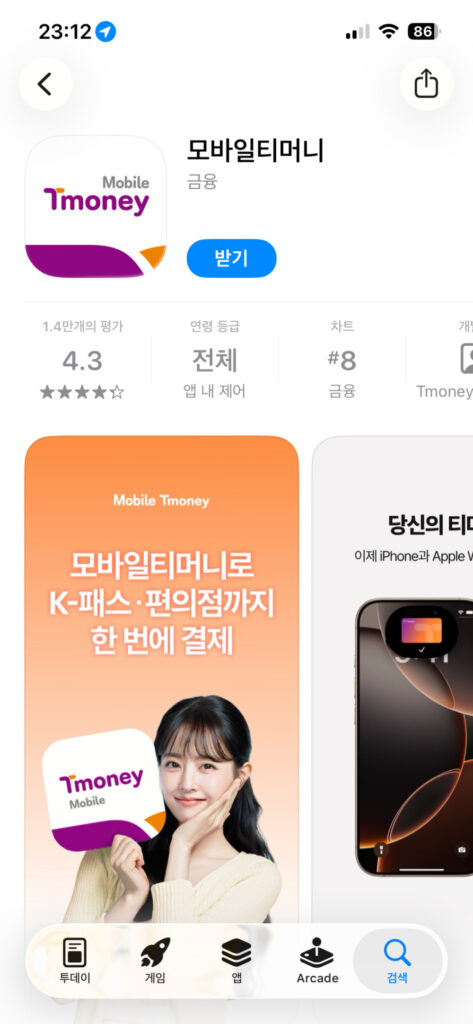
However, mobile options are becoming more useful. The official MobileTmoney App Store page describes the iPhone app as a way to use public transportation across Korea, top up in the app using Apple Pay, and use an iPhone or Apple Watch for transit, with device and OS requirements listed. The Android Korea Tour Card Tmoney app page also describes NFC-based use, balance checking, reload, refund, and credit/debit card charging features, but app availability and interface may vary depending on device, country, OS version, and app updates.
My Practical Recommendation
If it is your first trip to Korea:
- Buy a physical T-Money card after arrival.
- Install a T-Money-related app only if your phone supports it and you want to test it.
- Do not rely only on the app unless you have confirmed it works before your first subway or bus ride.
App screens, sign-up steps, supported payment methods, and language options may vary depending on app version, device model, and region. Always check the latest app interface before your trip.
How to Install a T-Money Card App
The exact app you see may depend on your device and country setting, so treat this as a general guide rather than a fixed step-by-step rule.
For iPhone Users
- Open the App Store.
- Search for “MobileTmoney” or “Tmoney.”
- Check that the developer is Tmoney Co., Ltd.
- Read the latest app description and requirements.
- Confirm whether your iPhone, Apple Watch, iOS version, and Apple Pay setup are supported.
- Follow the latest in-app instructions.
The App Store page currently describes MobileTmoney as an app for iPhone and Apple Watch transit use, but requirements and availability can change, so check the latest app page before relying on it.
For Android Users
- Open Google Play.
- Search for “KOREA TOUR CARD Tmoney” or “Tmoney.”
- Check the developer information.
- Confirm that your phone supports NFC.
- Turn on NFC in your phone settings.
- Follow the latest app instructions.
The Google Play page for Korea Tour Card Tmoney states that the app requires Android 5.0.1 or later, NFC read/write mode, and a data or Wi-Fi connection.
Important App Tip for Travelers
Do not wait until you are standing in front of a subway gate to set up the app. Install and test it at your hotel, airport, or a quiet place first. If anything looks confusing, buy a physical T-Money card instead.
Can You Use the App in English?
This is one of the most confusing points for foreign visitors.
Some official app pages may show English descriptions, and some app screens may support English or partial English. However, the actual interface may vary depending on app version, phone language, operating system, and region. Do not assume every screen will be fully translated.
For a smoother experience:
- Set your phone language to English before installing.
- Check the latest screenshots in the App Store or Google Play.
- Keep a translation app ready.
- Take screenshots of confusing Korean screens and translate them.
- Do not rely on the app as your only payment method on your first day.
If you are not comfortable with app setup, the physical T-Money card is still the easiest option.
Where to Buy a T-Money Card Korea Travelers Can Use
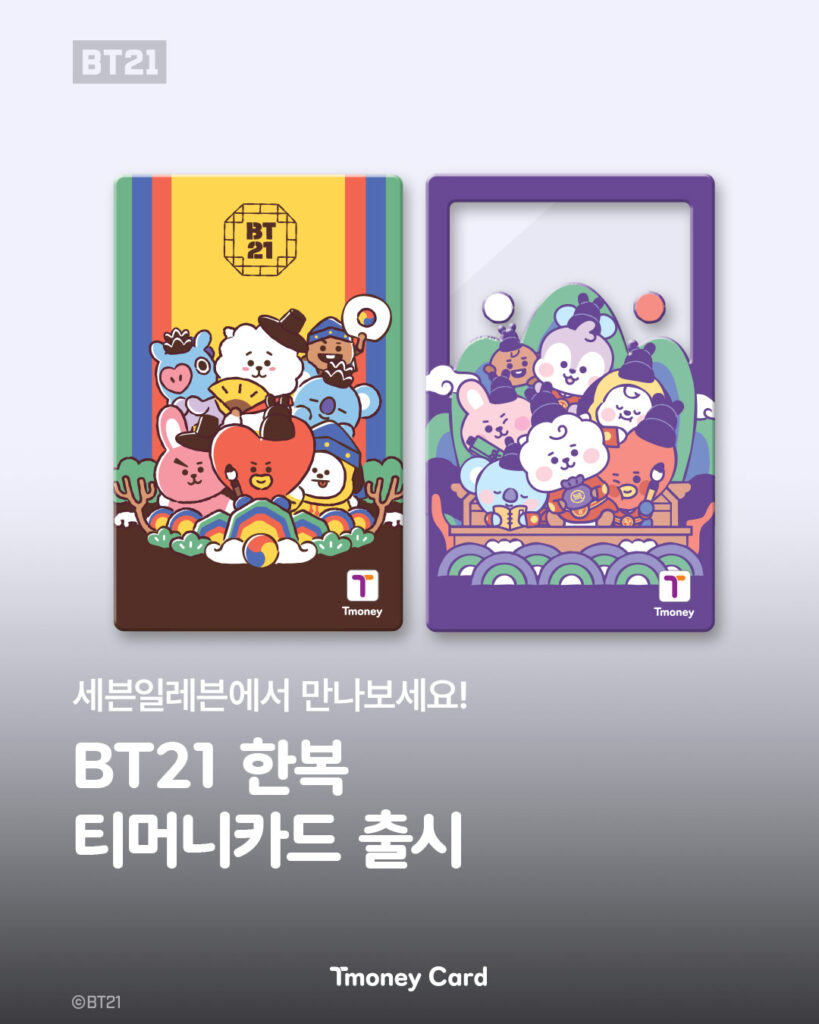
You can buy a T-Money card at many convenience stores in Korea. Common convenience store chains include CU, GS25, 7-Eleven, and Emart24. T-Money’s official foreigner guide lists convenience stores such as GS25, CU, 7-Eleven, MINISTOP, Story Way, and Emart24 as sales or top-up locations.
You may also find T-Money cards at:
- Incheon International Airport
- Subway stations
- Convenience stores near major tourist areas
- Some transportation card vending machines
- Tourist-focused card sales points
T-Money’s official foreigner card page also introduces TMONEY TRAVEL CARD and TMONEY TRAVEL CARD +, with listed prices and stores. The page notes that sales of the older KOREA TOUR CARD have ended, while existing cardholders can continue to use related benefits.
What to Say at a Convenience Store
You can say:
“Can I buy a T-Money card?”
Or even more simply:
“T-Money card, please.”
Most convenience store staff near tourist areas will understand.
Important: The Card Price Is Not the Balance
When you buy a T-Money card, the price you pay for the card itself is usually separate from the balance you can use for rides. For example, if the card costs 4,000 won, that does not always mean you have 4,000 won available for transportation.
You usually need to charge money onto the card after buying it.
How to Charge a T-Money Card
You can charge, or top up, your T-Money card at convenience stores and subway station machines.
Option 1: Charge at a Convenience Store
This is often the easiest method for first-time visitors.
- Go to a convenience store.
- Give your T-Money card to the cashier.
- Say how much you want to charge.
- Pay in Korean won.
- Check that the balance has been added.
Useful phrase:
“Please charge 20,000 won.”
If the staff does not understand, show this text:
티머니 카드 20,000원 충전해주세요.
This means: “Please charge 20,000 won to my T-Money card.”
T-Money’s official guide says top-ups are made with cash in Korean won at T-Money sales locations, and the card can be topped up in units of 1,000 won.
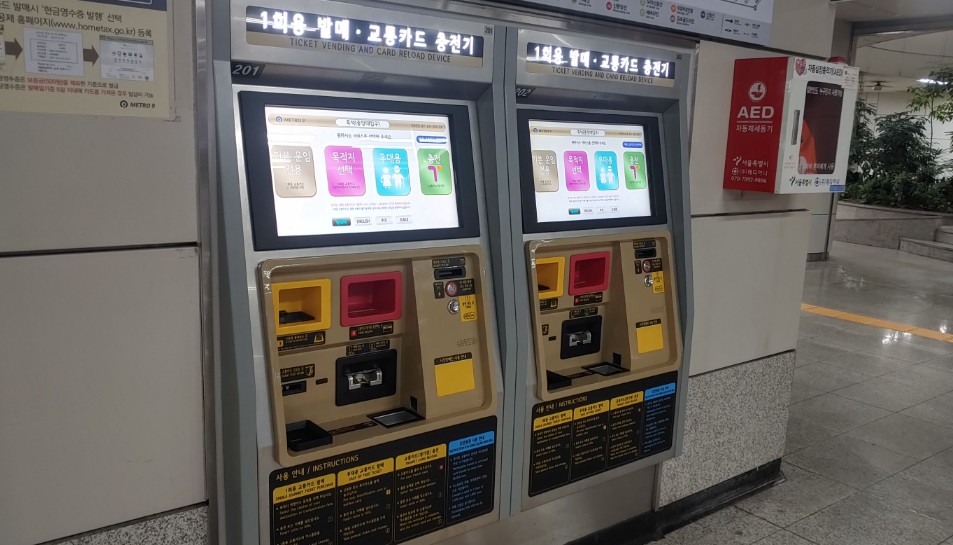
Option 2: Charge at a Subway Station Machine
Subway station machines are also useful, especially because many have language options.
General process:
- Find a transportation card recharge machine.
- Select English if available.
- Choose “Recharge” or a similar option.
- Place your T-Money card on the reader.
- Select the amount.
- Insert cash.
- Wait until the recharge is complete.
- Take your card.
The exact wording may vary by machine, station, and software version.
How to Use T-Money on the Subway
Using T-Money on the subway is simple.
- Enter the station.
- Find the subway gate.
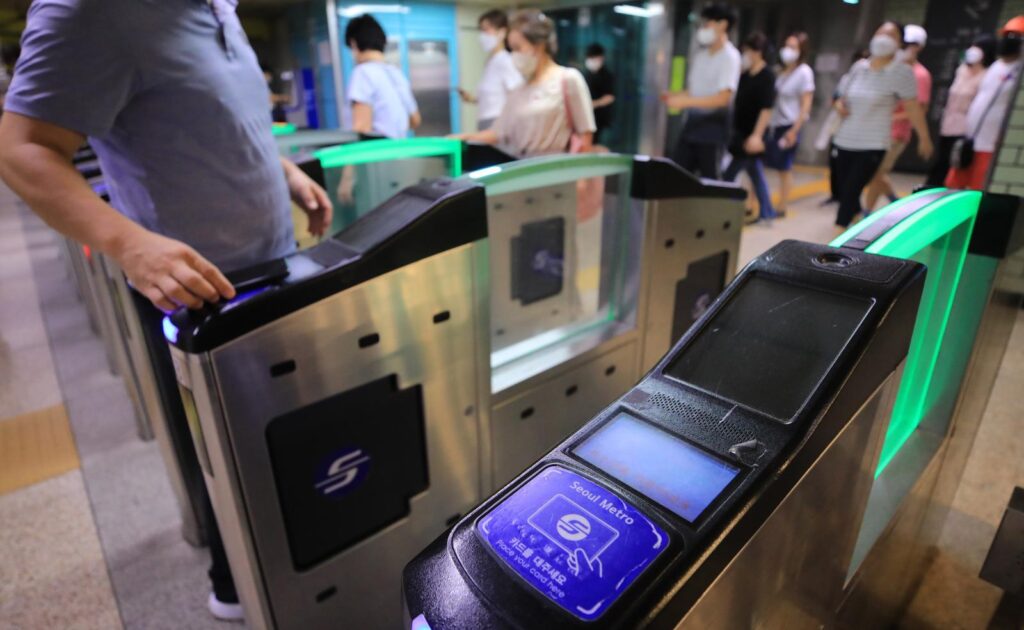
- Tap your T-Money card on the card reader.
- Wait for the beep or screen confirmation.
- Pass through the gate.
- When you arrive, tap again at the exit gate.
Always tap when entering and exiting the subway.
If you do not tap properly, the gate may not open, or your fare may not be calculated correctly. Keep your card separate from other contactless cards to avoid reader errors.
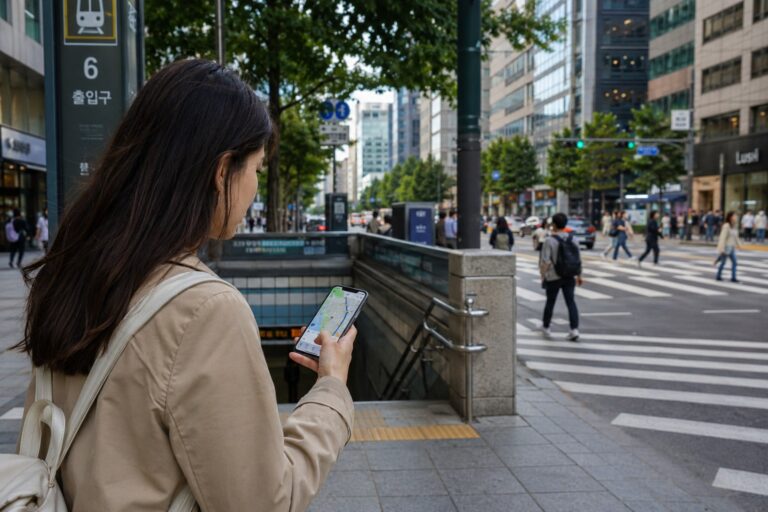
Subway Tip: Check the Exit Number
In Seoul, subway exits matter a lot. One station can have many exits, and the wrong exit can put you on the opposite side of a large road.
Before you leave the station, check your map app for the recommended exit number. For example:
- “Exit 2”
- “Exit 6”
- “Exit 10”
This is especially important at large stations such as Seoul Station, Hongik University Station, Gangnam Station, Jamsil Station, and Express Bus Terminal Station.
How to Use T-Money on Buses
Buses are convenient in Seoul, but they can feel harder than the subway because stops are announced quickly and routes may look confusing.
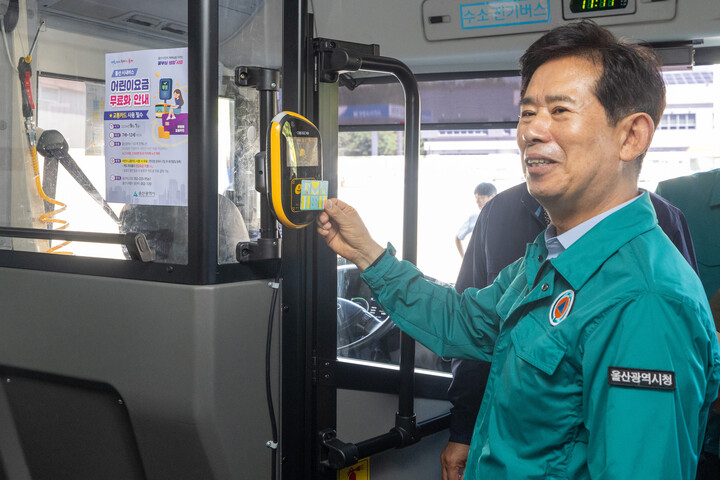
To use T-Money on a bus:
- Board through the front door.
- Tap your T-Money card on the reader near the driver.
- Find a seat or hold a handrail.
- Watch your stop on your map app.
- Before getting off, press the stop button.
- Tap your T-Money card again when exiting.
Do You Need to Tap Off the Bus?
Yes, you should tap when getting off the bus.
This is one of the most common mistakes tourists make. If you forget to tap off, you may lose transfer benefits or be charged incorrectly on your next ride. Seoul’s official transportation guide also explains that the card must be tapped when getting off in order to use transfer rules.
Bus Tip: Check the Direction Before Boarding
Some bus stops serve both directions nearby, but not always at the exact same place. Always check:
- Bus number
- Direction
- Destination
- Stop name
- Estimated arrival time
If your map app says the bus is arriving in 2 minutes but you do not see the bus stop sign with your bus number, you may be on the wrong side of the road.
Can You Use T-Money in Taxis?
Yes, T-Money can be used in many taxis in Korea, especially if the taxi has a T-Money or transportation card payment reader. However, do not assume every taxi experience will be identical.
Before you ride, it is smart to confirm:
“Can I pay by T-Money?”
Or show:
티머니로 결제 가능할까요?
This means: “Can I pay with T-Money?”
Many travelers use credit cards or mobile payment apps for taxis, but T-Money can be helpful if you have enough balance and the taxi supports it.
Taxi Tip: Confirm the Destination Before You Start
Before the taxi moves, show the driver the destination in Korean. This is especially important if the place name is similar to another location.
For example, there may be multiple branches of the same restaurant, cafe, hotel, or clinic. If you only show the English name, the driver may not immediately know which one you mean.
Prepare:
- Korean address
- Korean place name
- Nearby subway station
- Phone number if available
- Map pin
This small step can prevent a wrong destination and wasted fare.
How to Check Your T-Money Balance
There are several ways to check your T-Money balance.
1. Check the Reader Screen
When you tap your card on a subway gate or bus reader, the screen usually shows your remaining balance briefly. It disappears quickly, so pay attention right after tapping.
2. Ask at a Convenience Store
You can ask the cashier:
“Can you check my T-Money balance?”
Or show:
티머니 잔액 확인해주세요.
This means: “Please check my T-Money balance.”
3. Use a Subway Recharge Machine
Place your card on the reader at a recharge machine. The machine should display your balance before or during the recharge process.
4. Use an App If Supported
Some mobile T-Money-related apps may allow balance checking, reload, refund, or transaction history features, depending on the app, device, and card type. The Google Play page for Korea Tour Card Tmoney, for example, describes balance checking and transaction history features.
Because app features can change, always check the latest app interface.
Public Transportation Route-Finding Tips for Korea
A T-Money card helps you pay, but you still need a good route-finding habit.
For foreign visitors, the most important thing is to check not only the station name, but also the exit number, bus stop direction, and transfer point.
Use a Local Map App
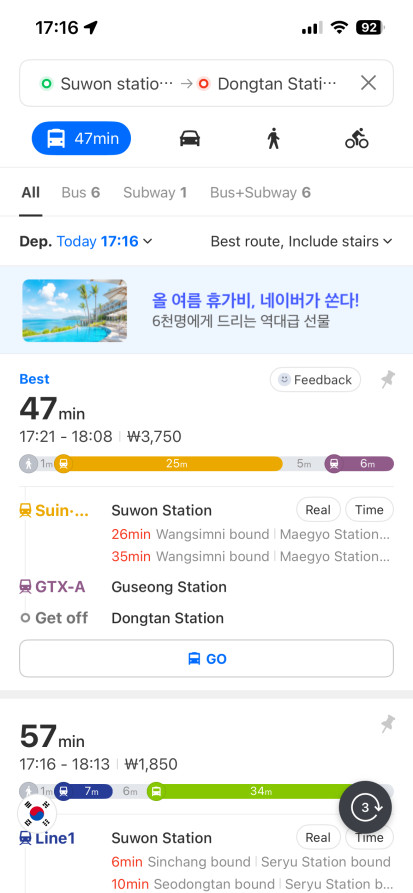
Many travelers use Naver Map or KakaoMap in Korea. Google Maps can be useful for general place searches, but local Korean map apps are often better for detailed public transportation routes in Korea.
If you are new to Korean map apps, start with our full guide on how to use Naver Map in Korea before planning subway, bus, or walking routes in Seoul.
When using a map app, check:
- Subway line color
- Direction of travel
- Transfer station
- Exit number
- Bus number
- Bus stop name
- Last train or last bus time
- Walking distance from the exit
Example: Myeongdong to Gyeongbokgung Palace
A simple route may involve:
- Walking to Myeongdong Station
- Taking the subway
- Transferring if needed
- Getting off near Gyeongbokgung
- Using the correct exit
- Walking to the palace entrance
Even if the subway ride is easy, the final exit can make a big difference. Choosing the wrong exit may add 10 minutes of walking.
Example: Seongsu Cafe Hopping
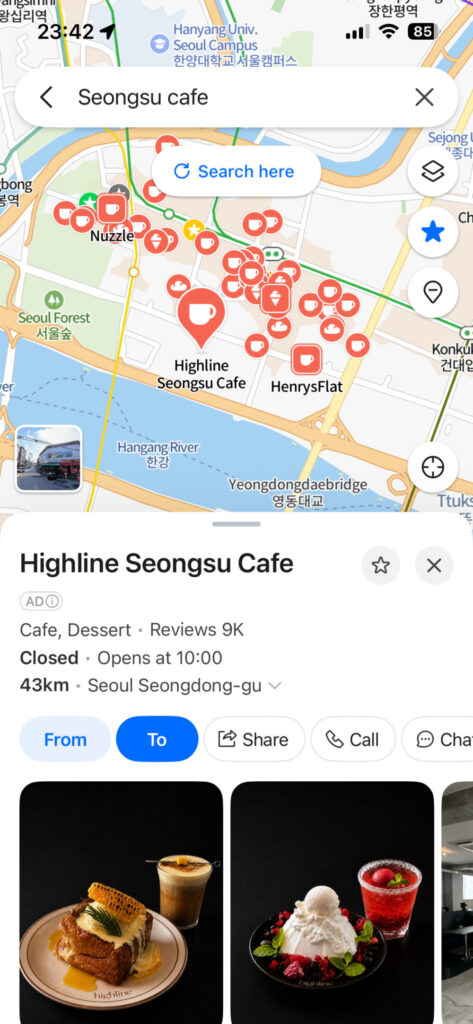
Seongsu has many cafes, but they are spread out. A map app can help you decide whether it is better to get off at Seongsu Station, Ttukseom Station, or Seoul Forest Station. Your T-Money card handles the ride, but the map app helps you avoid unnecessary walking.
Common Mistakes First-Time Visitors Make
Mistake 1: Buying the Card but Not Charging It
The card price and usable balance are separate. After buying the card, charge it before heading to the subway gate or bus stop.
Mistake 2: Not Carrying Cash
Physical T-Money card top-ups are commonly done with Korean won cash at convenience stores or machines. Some mobile options may support card-based charging, but for a physical card, carrying cash is still practical.
Mistake 3: Forgetting to Tap Off the Bus
Always tap when exiting a bus. This helps with correct fare calculation and transfer benefits.
Mistake 4: Confusing T-Money with a Debit Card
A regular T-Money card is mainly a prepaid transportation card. It is not the same as an international debit card. Some cards, such as tourist-focused travel cards or WOWPASS-related products, may include broader payment features, but a basic T-Money card should not be treated as a full payment card.
Mistake 5: Assuming the App Works on Every Phone
Mobile T-Money options depend on device, NFC support, OS version, payment setup, and app availability. Check before relying on it.
Mistake 6: Ignoring the Exit Number
In Seoul, the correct subway exit can save a lot of time. Always check the exit number before leaving the station.
Mistake 7: Throwing Away the Card Too Early
If you plan to return to Korea, you may want to keep the card. T-Money cards can be reused, and remaining balance may still be useful for a future trip. If you want a refund, check the refund rules first.
How Much Should You Charge?
For a short Seoul trip, many visitors start with 10,000 to 20,000 won. This is usually enough for several subway and bus rides, depending on your itinerary. If you plan to use public transportation heavily, start with more or recharge as needed.
A practical first-day plan:
- Light use: 10,000 won
- Normal Seoul sightseeing: 20,000 won
- Several days of frequent subway and bus rides: 30,000 won or more
Do not overcharge too much at the beginning. It is easy to recharge later at convenience stores and subway stations.
Can You Get a Refund?
Yes, you can usually refund the remaining balance, but the card purchase price itself is not refunded.
T-Money’s official foreigner guide states that refunds are given in Korean won cash at sales or top-up locations, the card cost is not included, and a 500 won service fee is charged. It also notes that partial refunds are only available at specific locations such as Tmoney Town and Tmoney service centers in subway stations, with conditions.
Before you leave Korea, you can:
- Spend the remaining balance at affiliated stores if accepted
- Use it for your airport transfer if possible
- Ask for a refund at a supported location
- Keep the card for your next Korea trip
If the remaining balance is small, many travelers simply use it at a convenience store or keep the card as a souvenir.
Should You Get a T-Money Card, WOWPASS, Climate Card, or Travel Card?
This depends on your trip style.
Choose a Basic T-Money Card If:
- You mainly need subway and bus payment
- You want the simplest option
- You do not want to set up an app
- You are staying in Korea for a short trip
Consider TMONEY TRAVEL CARD If:
- You want a tourist-focused T-Money option
- You are interested in partner benefits
- You find it easily at the airport or convenience stores
The official T-Money foreigner page lists TMONEY TRAVEL CARD as supporting nationwide transit, convenience stores, cafes, T-Money locations, and partner benefits.
Consider WOWPASS If:
- You want a prepaid payment card for shopping
- You want currency exchange and app-based balance management
- You prefer a tourist payment card beyond transportation
Visit Korea describes WOWPASS as a foreigner-exclusive all-in-one prepaid transportation card that can also be used like a debit card at affiliated stores accepting card payment.
Consider Climate Card If:
- You will use public transportation very frequently in Seoul
- You are staying several days and moving around a lot
- Your routes are mostly within the supported Seoul area
Visit Korea describes the Climate Card as a fixed-period transportation card for Seoul-based subway lines, Gimpo Gold Line, and buses operated by Seoul, with short-term and 30-day options.
For most first-time visitors, a basic T-Money card or tourist T-Money-style card is the easiest starting point.
Final Tips for Using T-Money in Korea
A T-Money card may seem like a small travel item, but it can make your Korea trip much smoother. Buy it early, charge it before your first ride, and keep it somewhere easy to reach.
Before each ride, remember:
- Subway: tap in and tap out
- Bus: tap when boarding and tap when getting off
- Taxi: confirm T-Money payment before the ride
- Balance: check before long travel days
- App: check the latest interface and device support
If you are arriving in Korea for the first time, your best option is usually simple: buy a physical T-Money card at the airport or a convenience store, charge it with Korean won, and use a local map app to plan your routes.
Once you get used to tapping in and out, Seoul’s public transportation becomes one of the easiest and most enjoyable parts of traveling in Korea.
FAQ
1. Do I need a T-Money card in Korea?
You do not absolutely need one, but it is highly recommended. It makes subway and bus rides much easier than buying single tickets or preparing cash.
2. Where can I buy a T-Money card in Seoul?
You can usually buy one at convenience stores such as CU, GS25, 7-Eleven, and Emart24. You may also find transportation cards at airports, subway stations, and tourist-focused sales points.
3. Can I charge a T-Money card with a credit card?
For physical T-Money cards, cash in Korean won is commonly used at convenience stores and subway machines. Some mobile T-Money options may support card-based top-up depending on device, app, and region, so check the latest app information.
4. Can I use T-Money for taxis?
Yes, many taxis accept T-Money if they have a supported card payment reader. It is best to ask before the ride starts.
5. Do I need to tap off the bus in Korea?
Yes. Always tap your T-Money card when getting off the bus. This helps apply transfer benefits and prevents fare issues.
6. Can I check my T-Money balance?
Yes. You can check your balance on the reader screen when tapping, at subway recharge machines, at convenience stores, or through supported apps depending on your card and device.
7. Is the T-Money app better than a physical card?
Not always. Mobile options can be convenient, but they depend on phone model, NFC, OS version, app availability, and payment setup. For first-time visitors, a physical T-Money card is usually the safest and easiest option.
How This Guide Was Checked
This guide was prepared and reviewed by H. Jung, the Korea-based editor of Seoul Plate. T-Money usage, purchase and recharge methods, transportation use, and traveler-facing instructions were checked against current transportation guidance and available T-Money information in Korea. Card availability, payment methods, and recharge options can vary by location, so travelers should confirm the latest details when they arrive.